Color plays a very important role is our life. I would like to discuss this important role with respect to SQL SERVER MANAGEMENT STUDIO.
Lets do it step by step.
Step 1 :
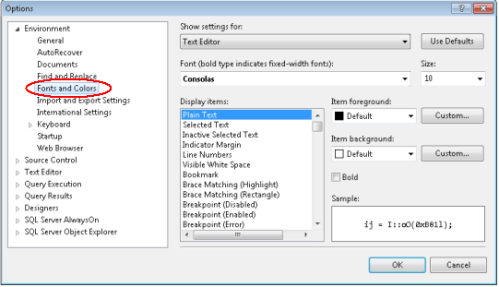
Open your SSMS and go to Tools \ Options \ Environment \ Fonts and Colors.
Step 2 :
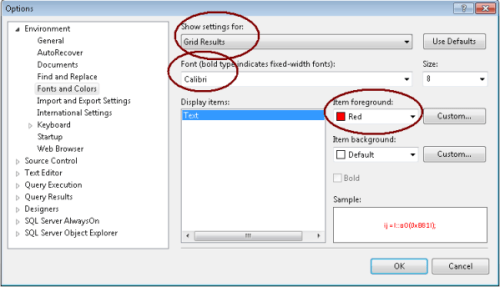
First, we will change the color of Gird Results and Font.
Step 3 :
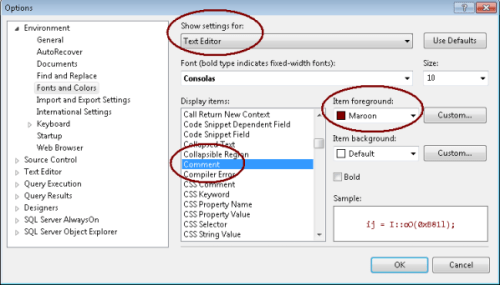
In this step, we need to change the color of comments.
Step 4 :
Close your SSMS and open it again.
Step 5 :
Lets write the query, comment it and view the difference in results and comments color.

Note : If you would like to reset these changes, press the “Use Defaults” button (on top right).


 SQL Server Portal